Assign Cards
The question type “Assign Cards” displays the items as cards along with several stacks to which these cards can be assigned.
In the dataset, (as with the multiple choice matrix) a dichotomous variable with the coding 1=not assigned, 2=assigned is created for each possible assignment (items times options).
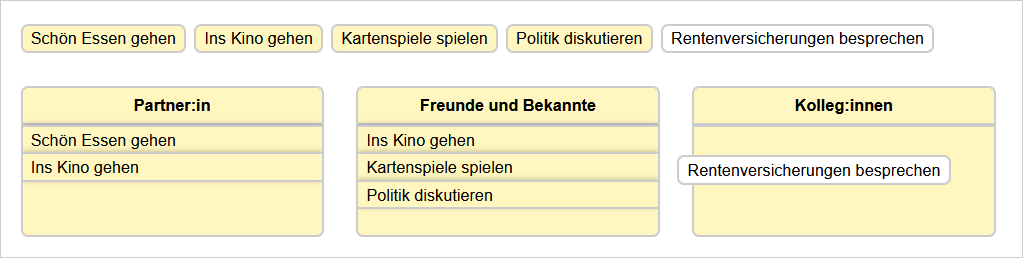
Layout
On mobile devices, the question is operated without drag & drop. Here, all possible assignments are displayed as cards to select, like the multiple choice matrix.
By means of JavaScript, the display can be switched to this matrix layout on large screens as well.
s2.AB01.mode = "cards";
In this way, you can also create a toggle for the view. The switch can, for example, be inserted directly into the question text:
<div style="float: right"><input id="modeSwitch" type="checkbox"></div>
In the actual script (which can, for example, be placed as HTML code further down on the page), the ID “AB01” has to be replaced by the ID of the question:
<script type="text/javascript" src="https://s2survey.net/script/S2ButtonSwitch.js"></script>
<script type="text/javascript">
new S2ButtonSwitch(document.getElementById("modeSwitch"), "#6666FF");

var modeSwitch = document.getElementById("modeSwitch");

modeSwitch.addEventListener("click", function() {
    if (modeSwitch.checked) {
        s2.AB01.mode = "cards";
    } else {
        s2.AB01.mode = "auto";
    }
});
</script>